
AI Product · WordPress · In Progress
WPBueno✦
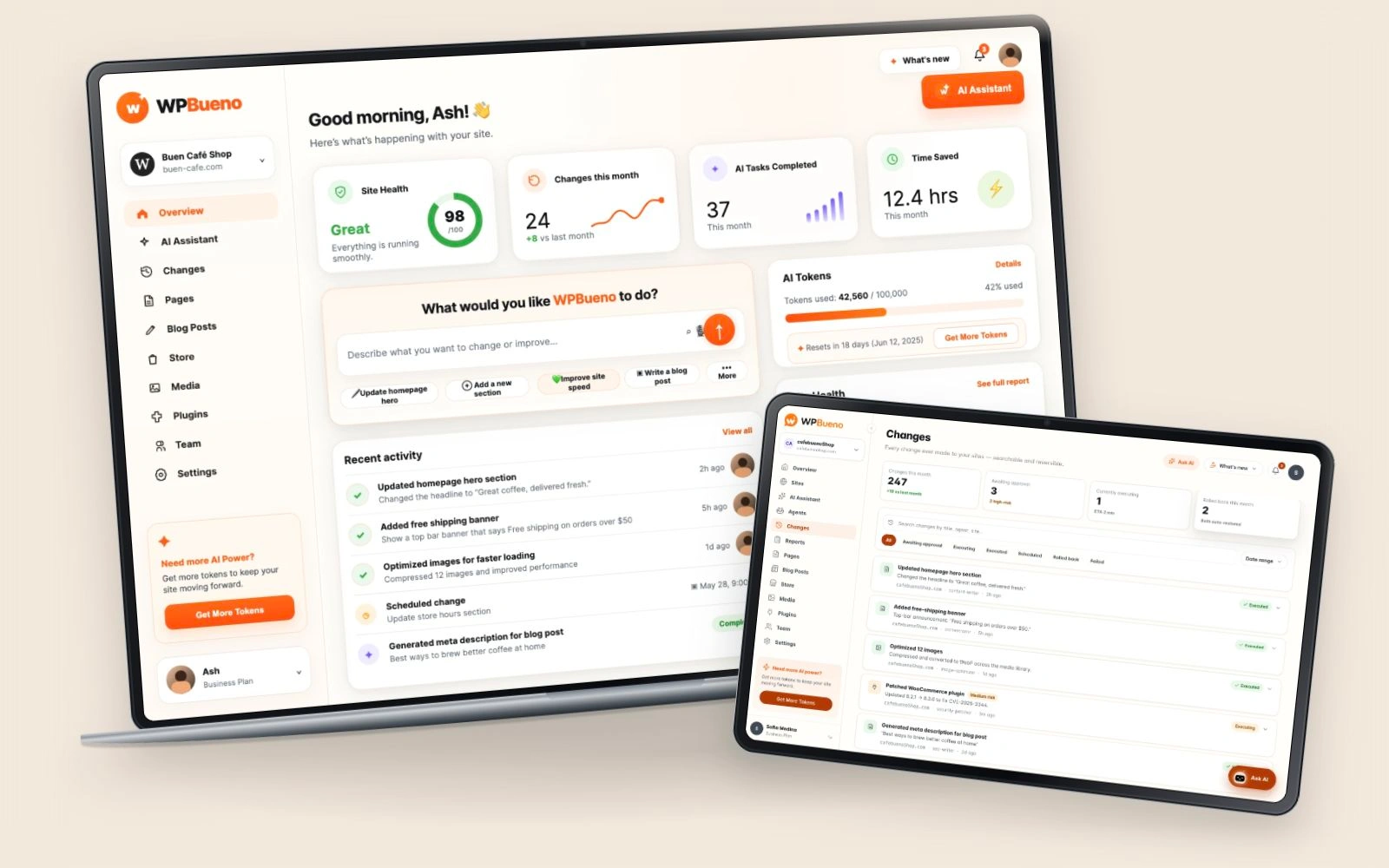 FROM INTENTION TO INTERACTION.
A problem
worth solving.
Agencies managing WordPress and WooCommerce sites for multiple clients, and solo site owners who don't want to touch code, hit the same wall: routine maintenance (content edits, plugin updates, SEO tweaks, performance and security fixes) means either learning to code or paying a developer for a change that should take minutes.
As Product Engineer, I own WPBueno end to end, designing the interface in Figma and building the real product with Claude Code, so the chat-first interaction and the multi-agent system underneath it are shaped together, not handed off between a designer and a separate engineering team.
Intentional at
every turn.
Listen. Question.
Understand.
Before designing the chat bar, I talked with agencies and solo site owners already doing this work by hand. What eats their time isn't one big redesign; it's the constant drip of small requests (a homepage tweak, a slow page, an SEO fix) that each feel too small to hire a developer for but too risky to touch alone. That's what shaped a single always-on chat bar instead of a settings dashboard with AI bolted on the side.
The riskiest design decision in the product is the line between what an agent does instantly and what waits for approval. I watched early private-beta testers describe changes and react to that line in practice: too many approval prompts and they stopped trusting the tool to do anything on its own; too few and a structural change could go out with no chance to catch it. The current split (routine edits execute immediately, structural changes queue for approval) came from where testers actually hesitated, not a rule set in advance.
Every backup-and-rollback detail in the Changes log exists because early testers asked some version of the same question: “okay, but what if it's wrong?” Before that came up in testing, rollback was a nice-to-have. After, it became the thing that made people comfortable handing over a live client site.
- 01
Replaced the plugin/settings-page hunt with one chat bar, “What would you like WPBueno to do?”, as the primary way to operate a site.
- 02
Built a multi-agent architecture behind that single input: an orchestrator classifies every request (minor edit, major change, or question) and routes it to the right specialist (content, SEO, images, security, and more), so simple asks stay near-instant and structural changes get more careful handling, visibly, not as a black box.
- 03
Made trust the default instead of an afterthought: every write operation snapshots the site (git + database) automatically first, high-risk changes wait for explicit approval, and the Changes log makes every action searchable and reversible with one click.
- 04
Designed onboarding to set expectations plainly upfront: pick an access tier, from read-only URL analysis to full AI-driven management, connect credentials, verify the connection live, then meet the AI team.
- 05
Built the full stack myself with Claude Code (React/Vite/Tailwind frontend, FastAPI + async SQLAlchemy backend, Claude orchestration over SSH and WP-CLI), so UI decisions and agent capabilities evolved in the same sitting instead of designing ahead of what the system could do.
- 06
Built the dashboard's design system in Storybook: isolated, documented components (cards, status pills, nav items, buttons) that keep the UI consistent as the multi-agent surface area grows.
One connected journey.
- 01
Connect a site
Pick an access tier (from read-only URL analysis to full AI-driven management), then verify the connection live.
- 02
Describe what you want
One chat bar replaces the settings-page hunt: “update the homepage hero,” “improve site speed,” “write a blog post.”
- 03
The orchestrator decides
Routine request
A specialist agent (content, SEO, images, security) executes right away; most changes finish in seconds.
High-risk change
Structural edits (themes, database, plugin patches) wait in a queue for explicit approval before they run.
- 04
Every change is logged and reversible
An automatic git + database backup runs before the write; any change can be rolled back in one click from the Changes log.
↳ Site Health, AI Tasks Completed, and Time Saved keep the owner in the loop without ever opening wp-admin.
Made to work.
Crafted to feel.
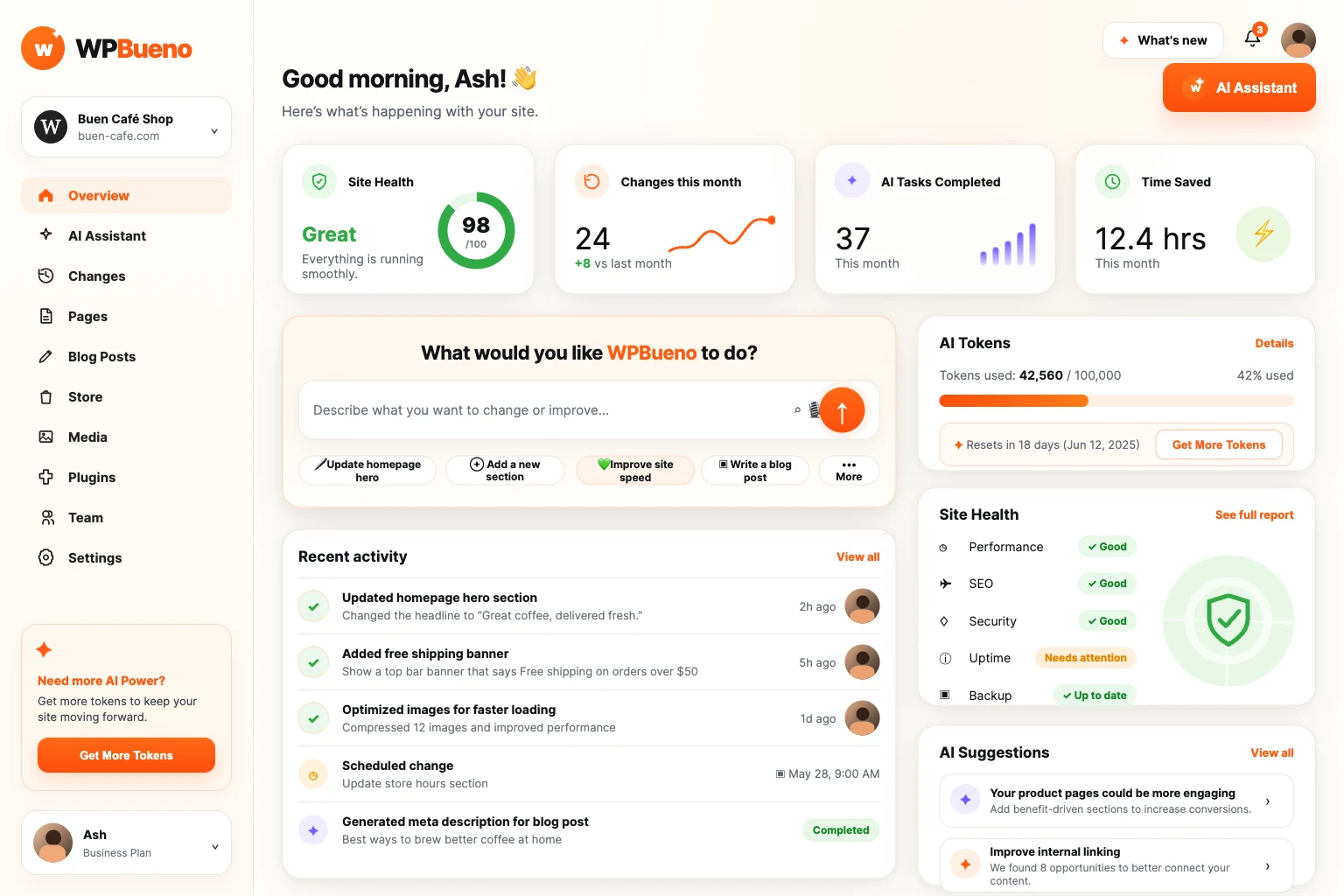
Home, at a glance
Site Health, changes this month, AI tasks completed, and time saved: the questions a site owner actually has, answered before they ask, with the chat bar front and center.
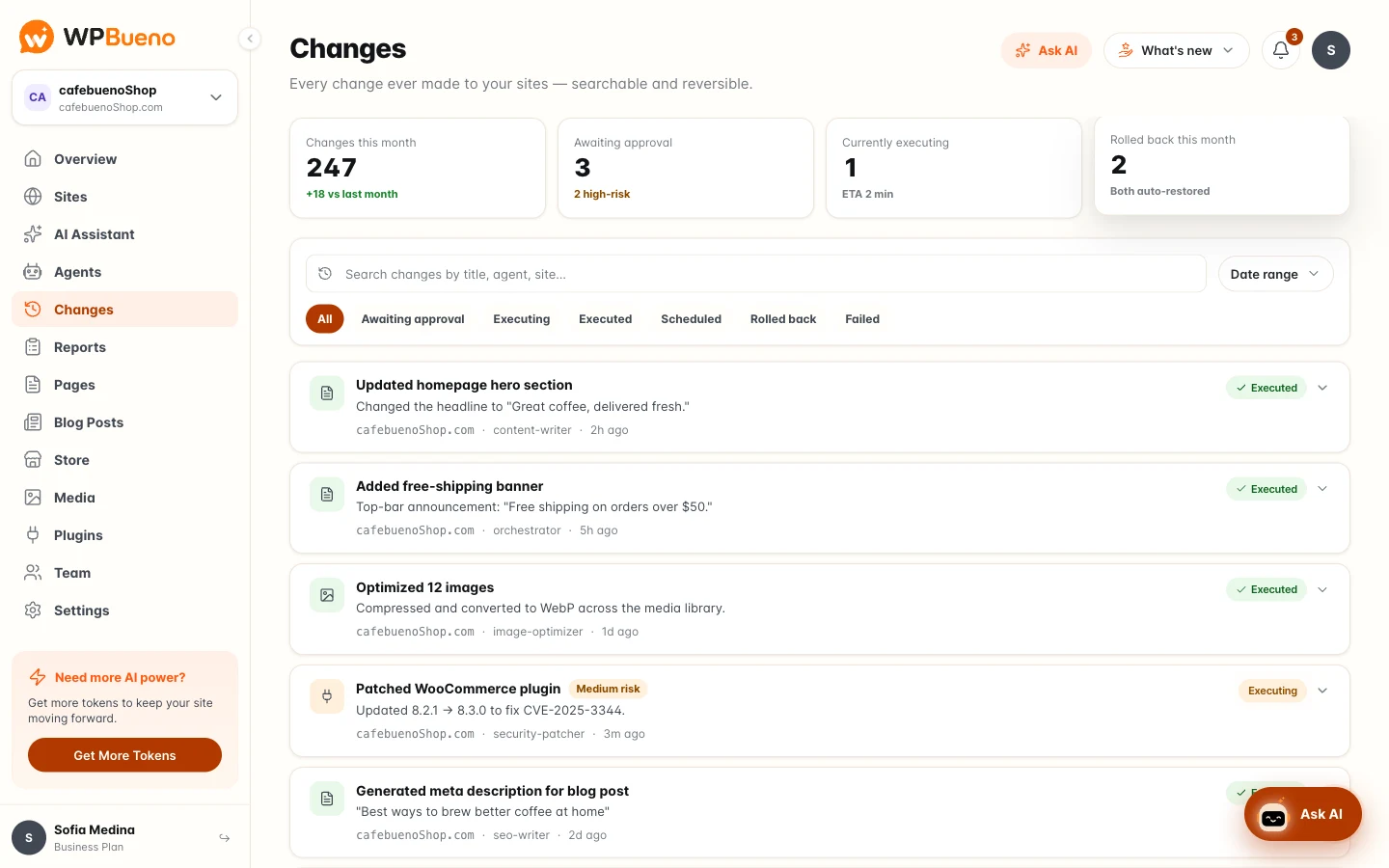
Every change, searchable and reversible
247 changes this month, 3 awaiting approval, 2 auto-restored: the Changes log is what makes handing a site over to AI agents feel safe instead of risky.
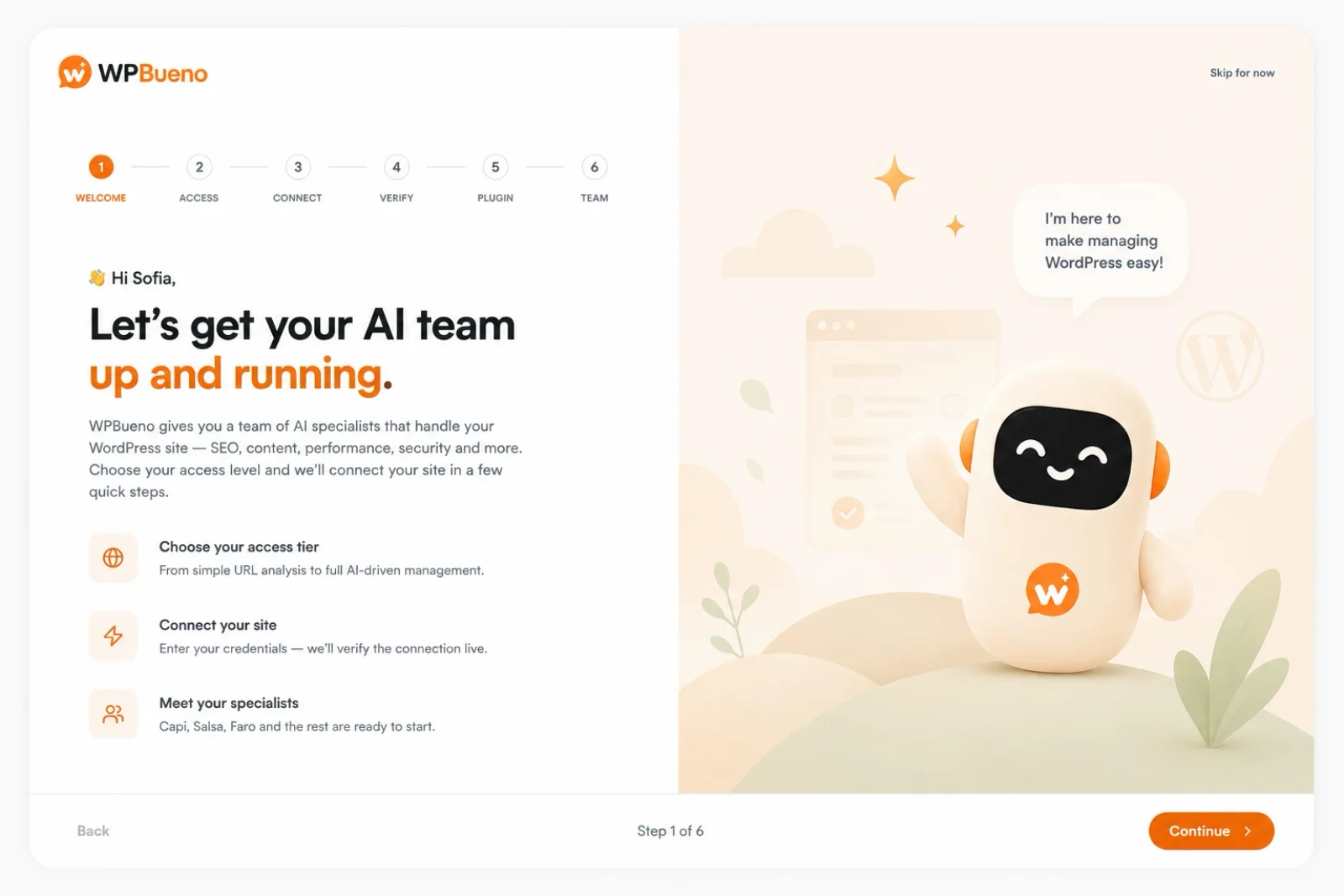
Meet your AI team
Onboarding sets expectations in three steps (choose access, connect the site, meet the specialists) instead of dropping someone into an empty dashboard.
Sous-Chef
AI Product · Conversational AI · Custom Build