
Mobile App · AI Product · UX/UI
GardenSage App✦
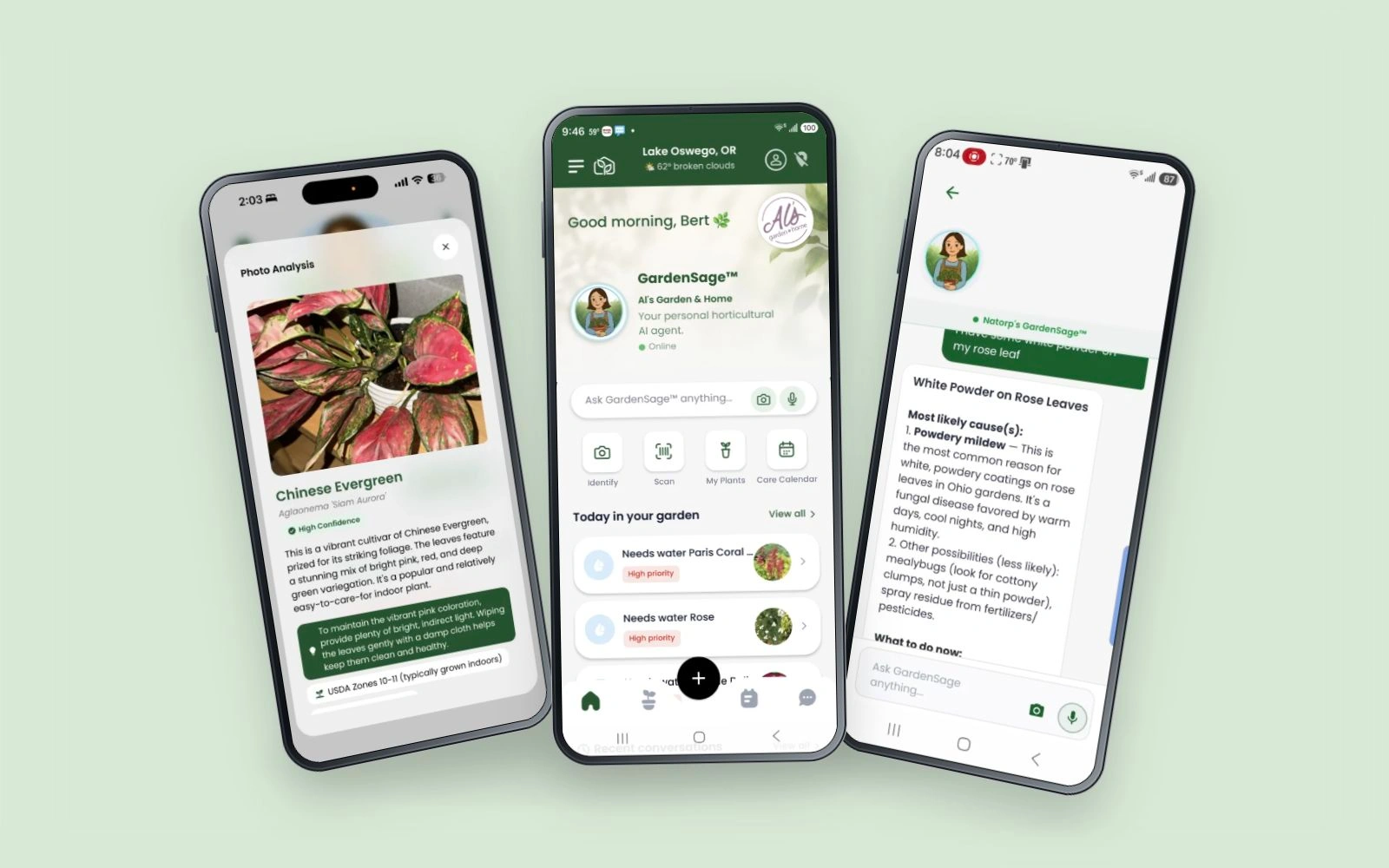 FROM INTENTION TO INTERACTION.
A problem
worth solving.
Plant care is full of guesswork: a wilting leaf, a yellow spot, a plant that just stops growing. People need to understand what they are seeing and what to do next, without translating their question into specialist terminology.
I designed the GardenSage mobile experience around those everyday questions, shaping the AI flow across photo, voice and text, with plant identification, a personal plant library and ongoing care connected in one product. This case study focuses on the app and its AI interactions; the SmartPlant website and MyGardenSage landing are separate projects.
Intentional at
every turn.
Listen. Question.
Understand.
Every GardenSage release starts the same way: a discovery session with the team to map where plant parents actually get stuck: not a missed watering reminder, but not knowing what's wrong or not trusting a generic answer.
From there, nothing ships blind. Each new version goes through a focus group to react to the direction, then a moderated usability test to validate the flow before it ever reaches the App Store.
That loop is what shaped features like the Care Calendar, the confidence score on Plant ID, and the structured GardenSage™ answer format: they exist in their current form because real plant parents used earlier versions and told us where they got confused.
- 01
Mapped the plant-parent journey and found the real trigger moment: people open the app when something looks wrong, not on a schedule, so GardenSage™ leads, not a static dashboard.
- 02
Designed the GardenSage™ AI flow across three inputs (photo, voice, and typed question), so any way someone naturally asks “what's wrong with my plant” gets one clear, structured answer instead of a wall of text.
- 03
Added a visible confidence score to Plant ID results (not a black-box guess) after usability testing showed people didn't trust an answer they couldn't verify.
- 04
Built the Care Calendar and My Plants library so ongoing care feels like a routine, not a research project every time.
- 05
Partnered tightly with engineering (The App Chefs) on a Scrum/Agile cadence: Discovery → Design → Usability Test → Development → Ship, repeating with every release.
One connected journey.
- 01
Open GardenSage™
Location-aware Home shows today's weather and what's due on the Care Calendar.
- 02
Two ways in
Search or scan a plant
Look up a specific species by name or barcode.
Ask GardenSage™
Any question, in whatever way is natural to ask it.
- Photo
- Voice
- Text
- 03
One structured answer
A Plant ID with a visible confidence score, a categorized care answer, or a recommended plant list, never a wall of text.
- 04
Save to My Plants
Added to an Indoor/Outdoor-filtered library for ongoing care.
↳ Care Calendar reminders bring them back to Home for the next check-in, closing the loop.
Made to work.
Crafted to feel.
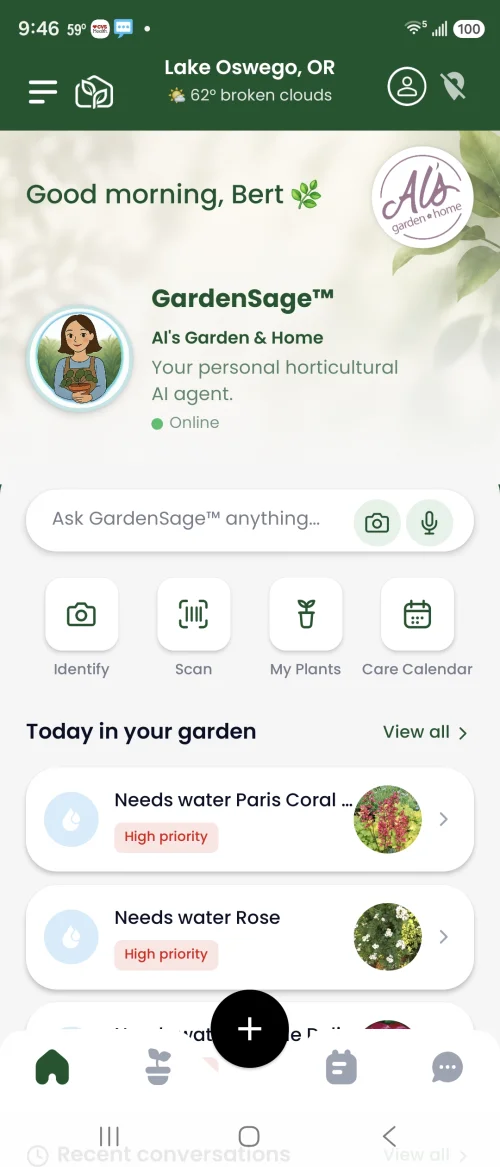
Your growing world, together
Local context, a personal horticultural companion and the care tasks in your garden share one starting point. Photo, voice and text sit within the same question bar.
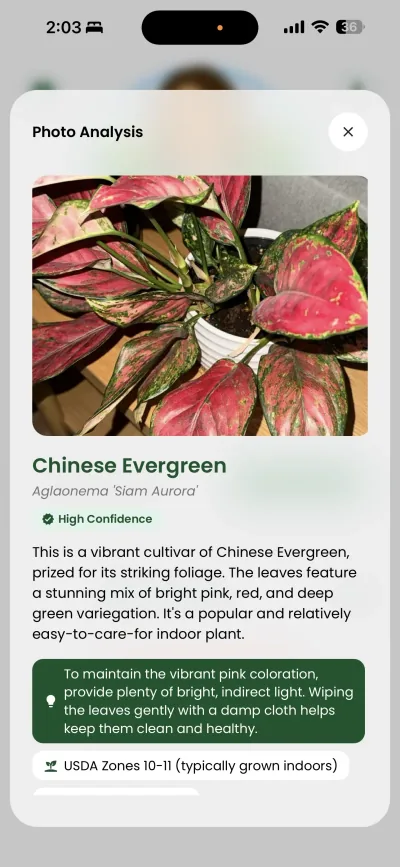
From a photo to a plant
Identification connects the common and botanical names with a visible confidence cue and practical growing information.
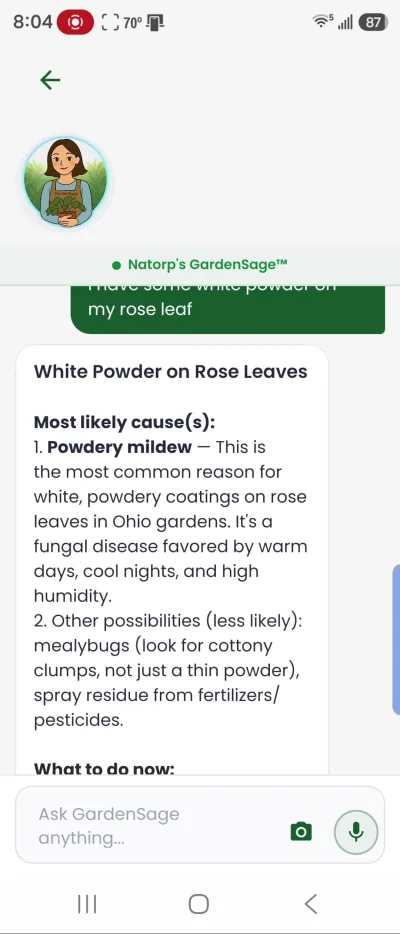
From a symptom to the next step
An everyday observation becomes a structured response with likely causes and care guidance, while the input stays available for the next question.
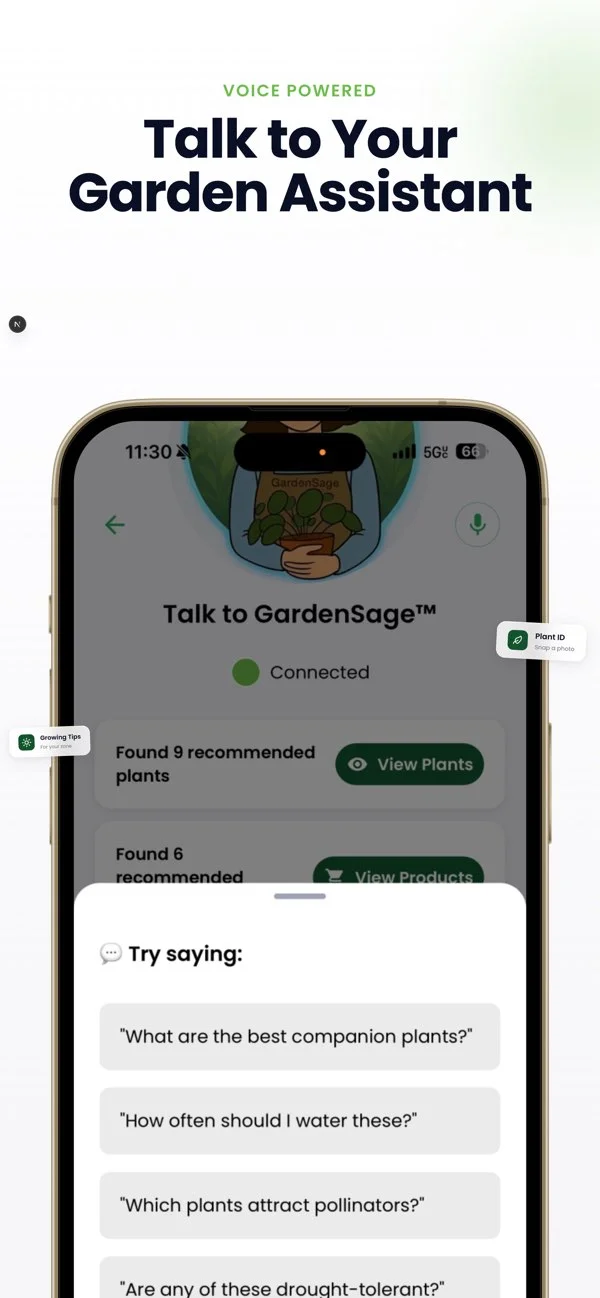
Ask in your own words
A voice-first flow with suggested prompts gives people a place to begin even when they are unsure how to phrase the question.
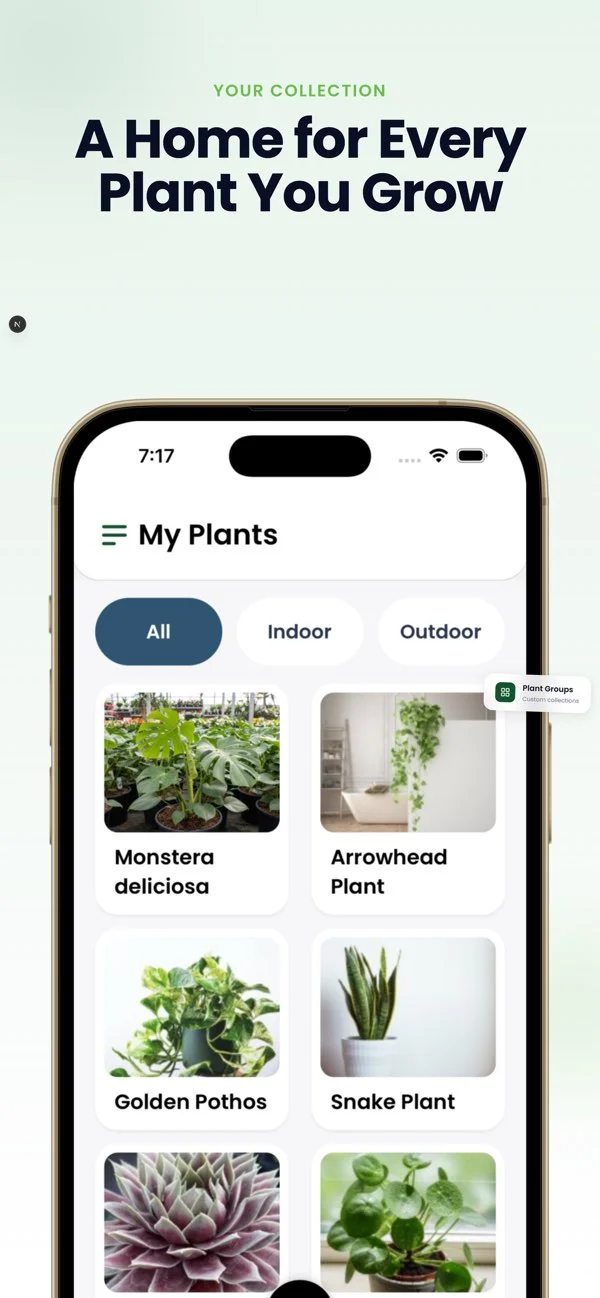
Keep growing
A personal plant library connects one-off discovery with the plants people return to and care for over time.
Alere Café
Brand · Web Design · Interaction