
B2B Platform · Product Redesign · AI · Mobile
Plant Manager✦
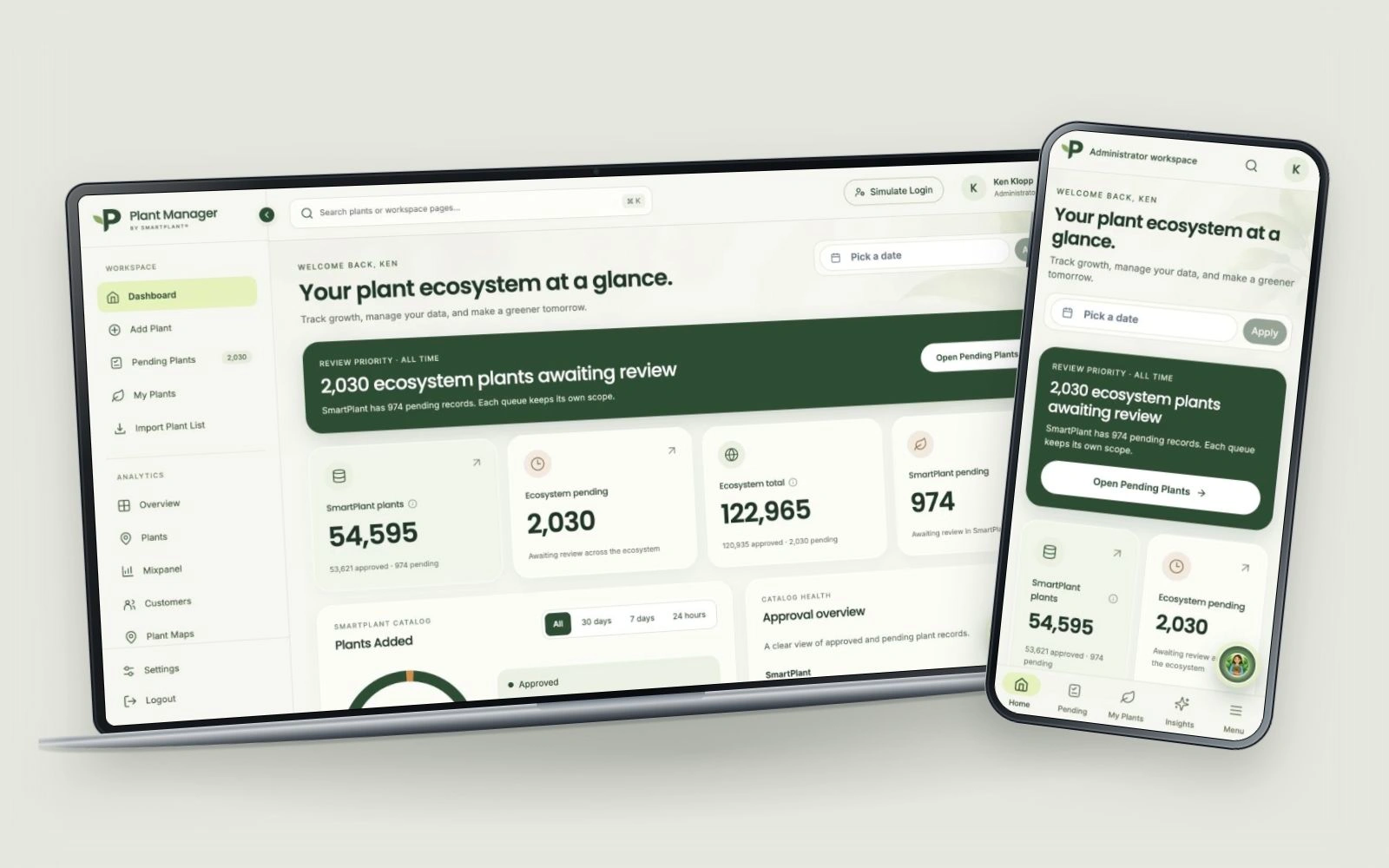 FROM INTENTION TO INTERACTION.
A problem
worth solving.
Retailers and growers bring their own plant names, spreadsheets and levels of detail. Plant Manager has to turn those inputs into useful records while helping the people responsible for them see what needs review, what is missing, and what is ready to publish. A dense database alone cannot answer those questions.
This new version rethinks the entire interface and the decisions inside it. I worked across the visual system, information hierarchy, interaction flows and AI experience, moving between Figma prototypes and implementation in Orca. The workspace now brings catalog management, review queues and business intelligence into one consistent experience across desktop and mobile.
Intentional at
every turn.
Listen. Question.
Understand.
The redesign built on the existing product and a screen-by-screen UX/UI audit. I compared the live application with the Figma designs, documented changes in English, and kept familiar menu names while refining navigation, hierarchy and chart readability. The dashboard’s review-priority banner became a deliberate intervention: make the next action visible before asking someone to interpret the numbers.
Data needed clearer boundaries. The source catalog, the SmartPlant subset and the broader ecosystem are different scopes; app engagement is different from sales. I made those distinctions visible through labels, source notes and contextual explanations, so a persuasive chart would not imply more certainty than its data supports.
Vendor feedback also surfaced incorrect plant photos. I designed a separate image-review prototype inside Plant details: confirm or report an image, upload a real photo or describe a replacement for AI, compare results, and send a proposal for review. Vendor verification appears on the image itself. That extended correction workflow is documented as a prototype; the current application captures below show the shipped provenance labels and catalog experience.
- 01
Built a coherent visual language around warm off-white surfaces, forest green, pale lime selection states, botanical artwork and purposeful iconography. Reusable cards, tables, tabs and a collapsible sidebar make a large operational product feel like one system.
- 02
Reframed the dashboard around review priority and catalog health. SmartPlant and ecosystem counts are labeled separately, with direct routes into pending records instead of making users search through the database for work that needs attention.
- 03
Made importing a guided sequence: choose a vendor, upload a CSV, check columns and review matches. Preparation guidance, an example schema and exact/partial/unmatched categories explain the process before a file is submitted.
- 04
Redesigned incoming submissions around vendor and submission type, with duplicate cues and a preview beside the queue. Publication consequences are stated at the point of action; imported matches and incoming API/webhook submissions retain their own review context.
- 05
Reworked Plant details around botanical identity, supplier context, care gaps and publication status. Overview, Company data and Care separate the jobs without scattering the record. AI genus imagery is explicitly labeled as needing source verification, rather than presented as a confirmed cultivar photograph.
- 06
Brought Sage into the workflow through page-level AI summaries and a contextual assistant. Company scope, date ranges, source coverage and missing-data guidance are part of the interface. Insights separates observed activity from estimates and translates complex charts into practical business questions.
- 07
Extended the experience to responsive layouts and an installable mobile web app. The same workspace can be accessed from a phone’s home screen, with navigation and dense operational content adapted to a smaller display.
One connected journey.
- 01
Start with what needs attention
The dashboard surfaces review priority and distinguishes the SmartPlant catalog from ecosystem-wide totals.
- 02
Bring in a plant list
Choose the vendor, check the CSV columns and review the matching results against the catalog.
- 03
Review with context
Inspect botanical identity, submission source, duplicate cues, care gaps and image provenance before publishing.
- 04
Publish deliberately
Approval and review-and-sync actions make the connection to the GardenSage app explicit. The source catalog and the app remain distinct data scopes.
- 05
Understand what happens next
Explore company-specific insights and geographic activity, with Sage helping explain the page and the sources behind it.
↳ A responsive, installable workspace carries the same operational journey from a desktop to a phone.
Made to work.
Crafted to feel.
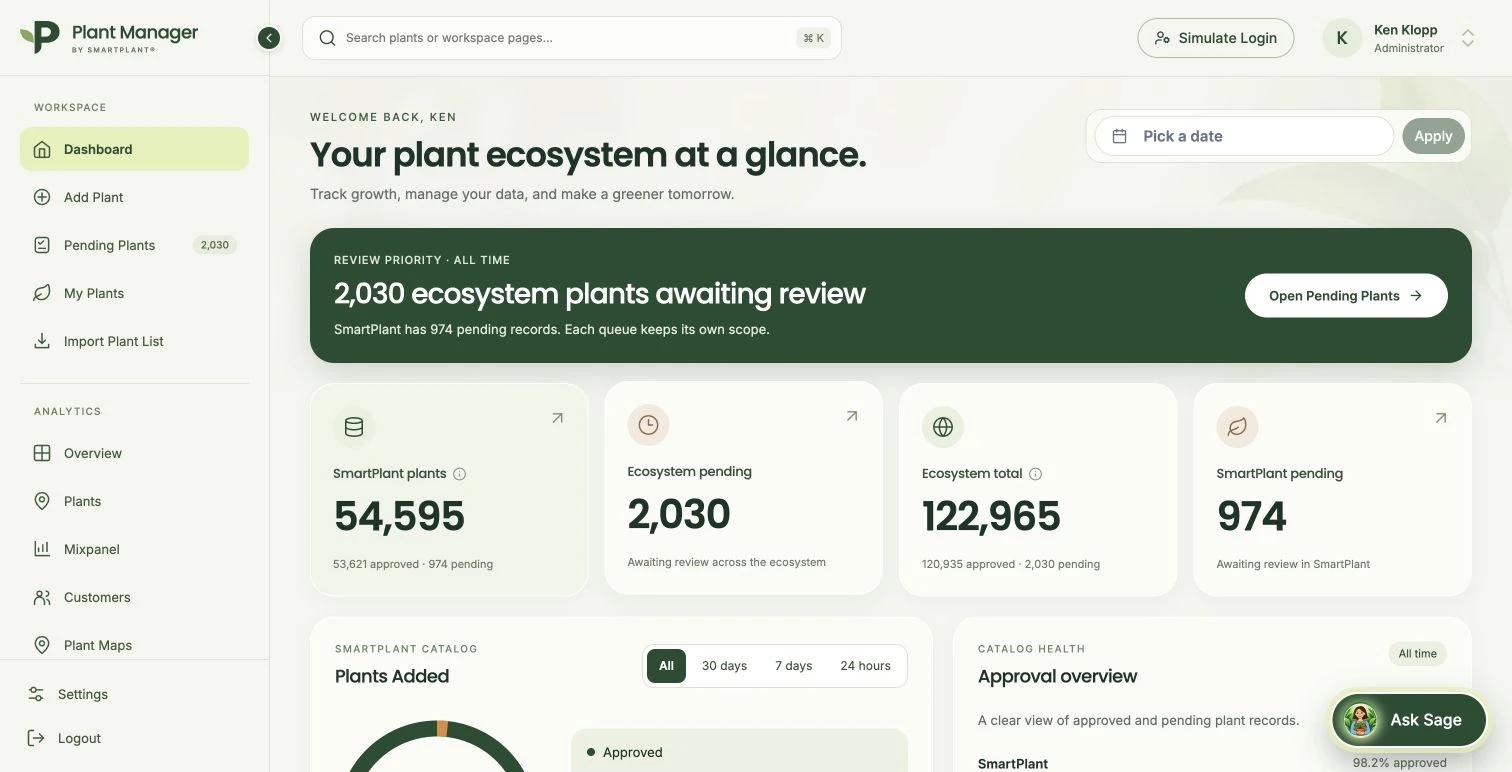
A starting point with a clear priority
Review priority leads the dashboard. Separate SmartPlant and ecosystem labels give the totals a meaningful scope, with a direct route into pending plants.
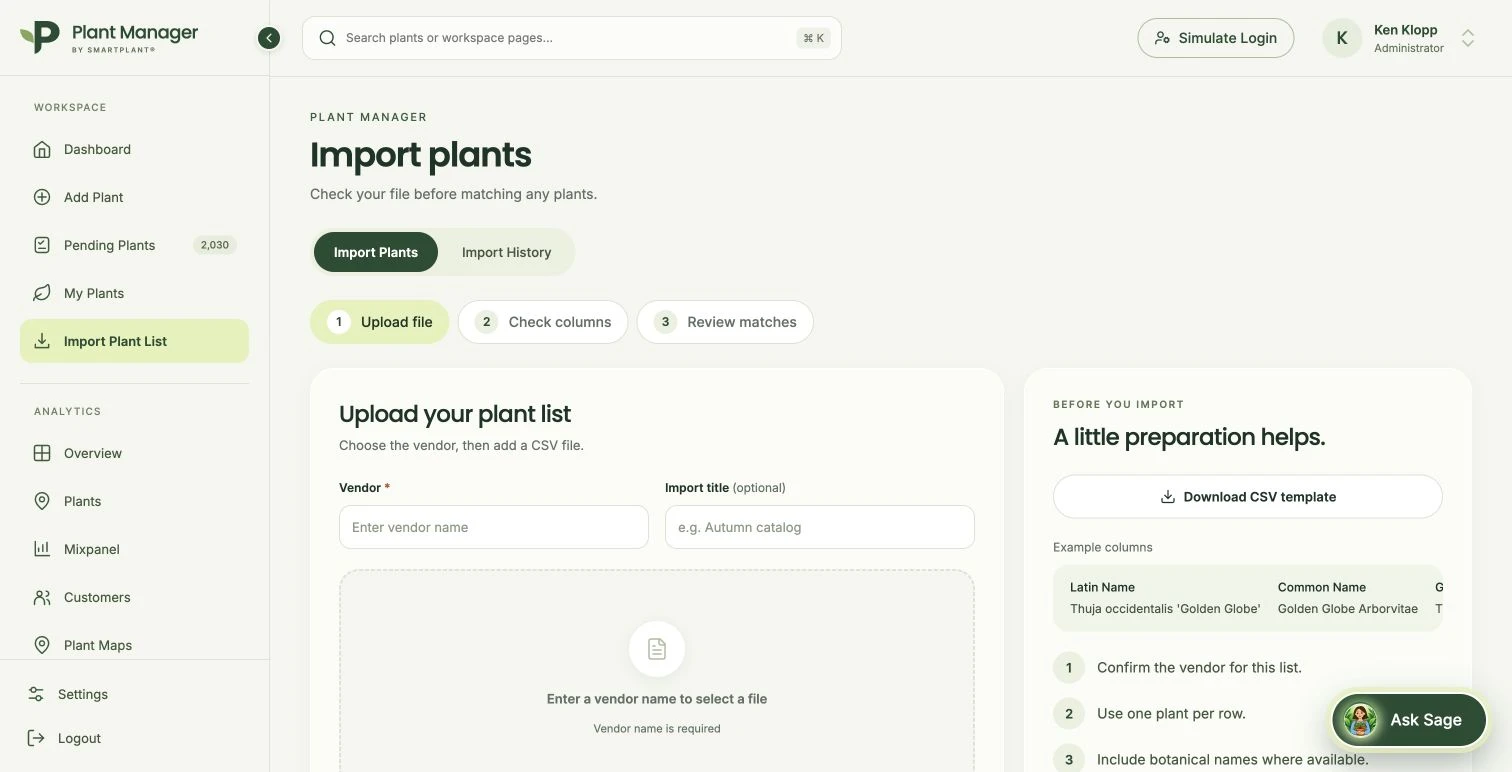
Prepare. Match. Review.
A three-step sequence, vendor context and example columns explain how to prepare a plant list before upload. The interface makes review part of the process from the start.
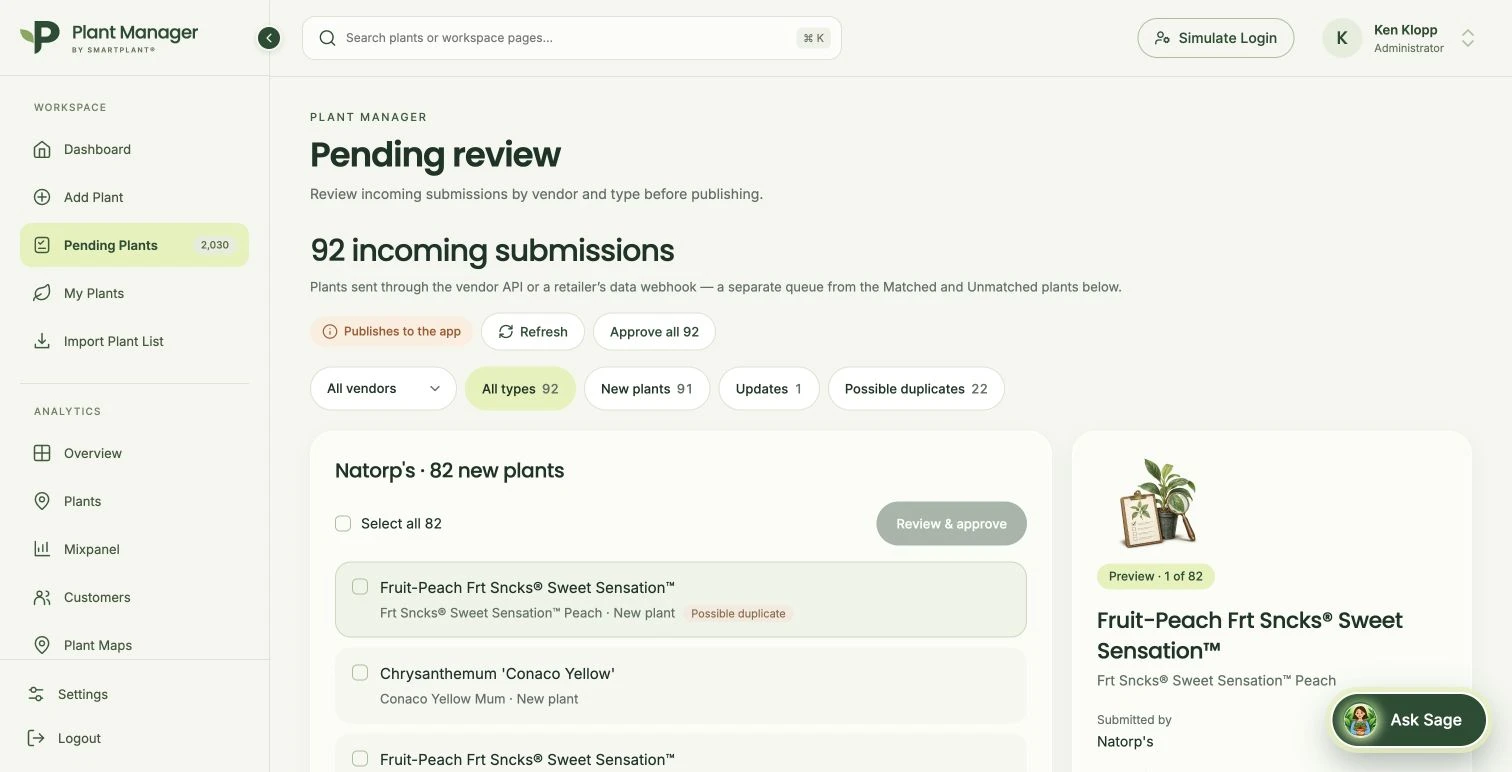
Review before publishing
Incoming submissions are grouped by vendor and type, with possible-duplicate cues and a contextual preview. The interface explicitly explains that approval publishes to the app.
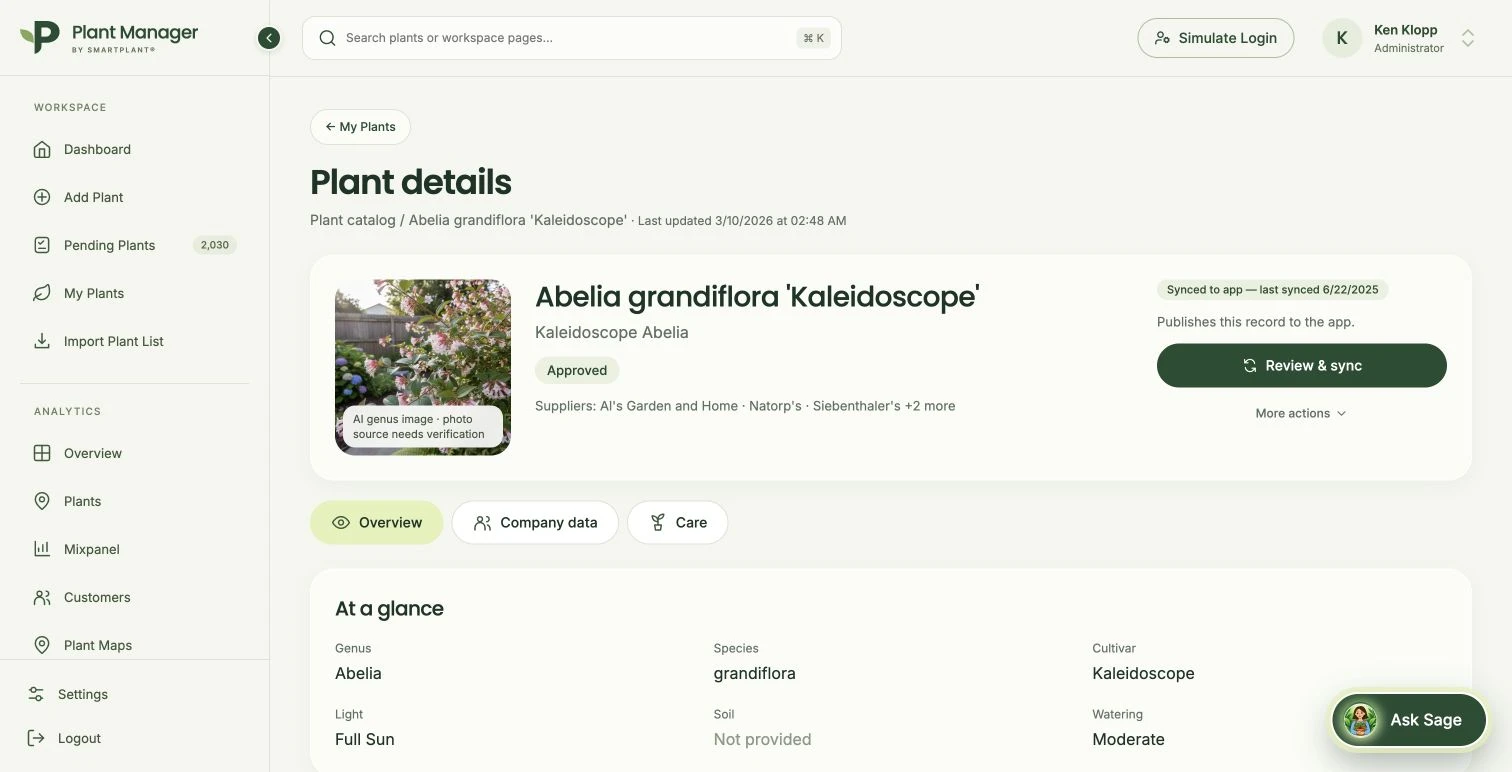
One plant, with its context intact
Identity, suppliers, care information and sync status sit around the same record. The image label distinguishes an AI genus image from a verified photograph of the cultivar.
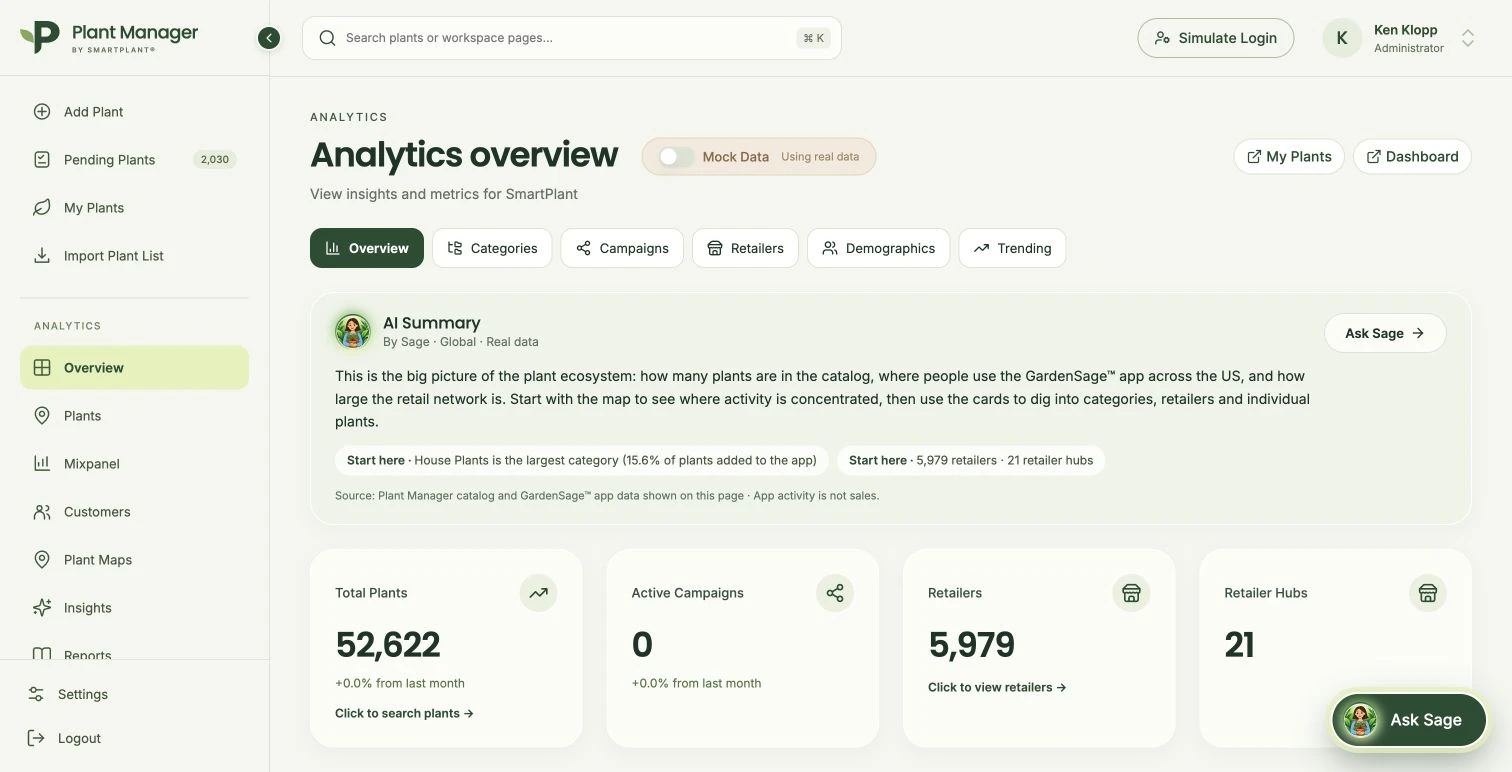
An explanation before the charts
Sage’s summary introduces the page, names the data scope and suggests where to begin. Its source note makes an essential distinction: app activity is not sales.
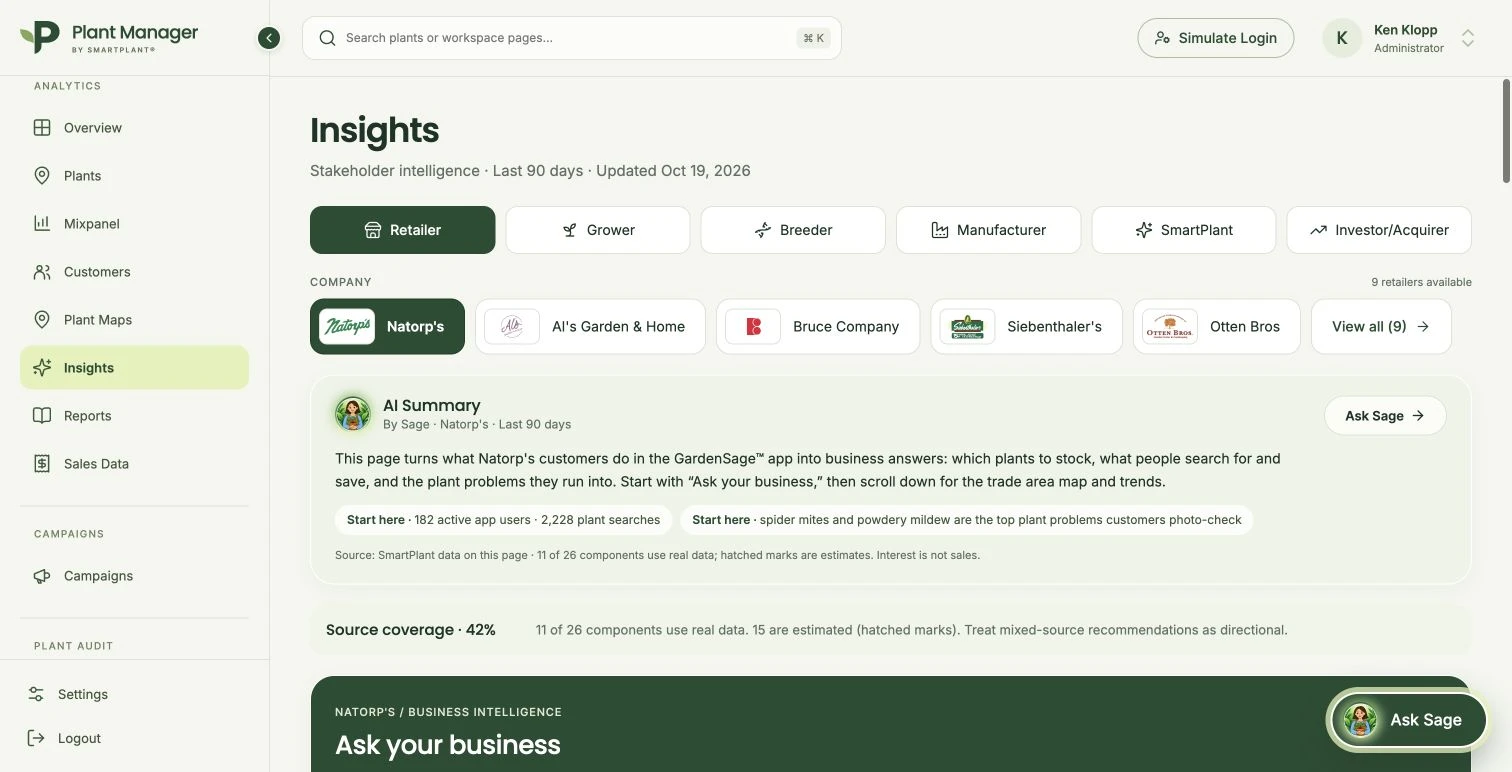
Different roles. Different questions.
Stakeholder and company selectors frame the analysis. Source coverage makes real and estimated components explicit, while business questions turn the data into a more approachable starting point.
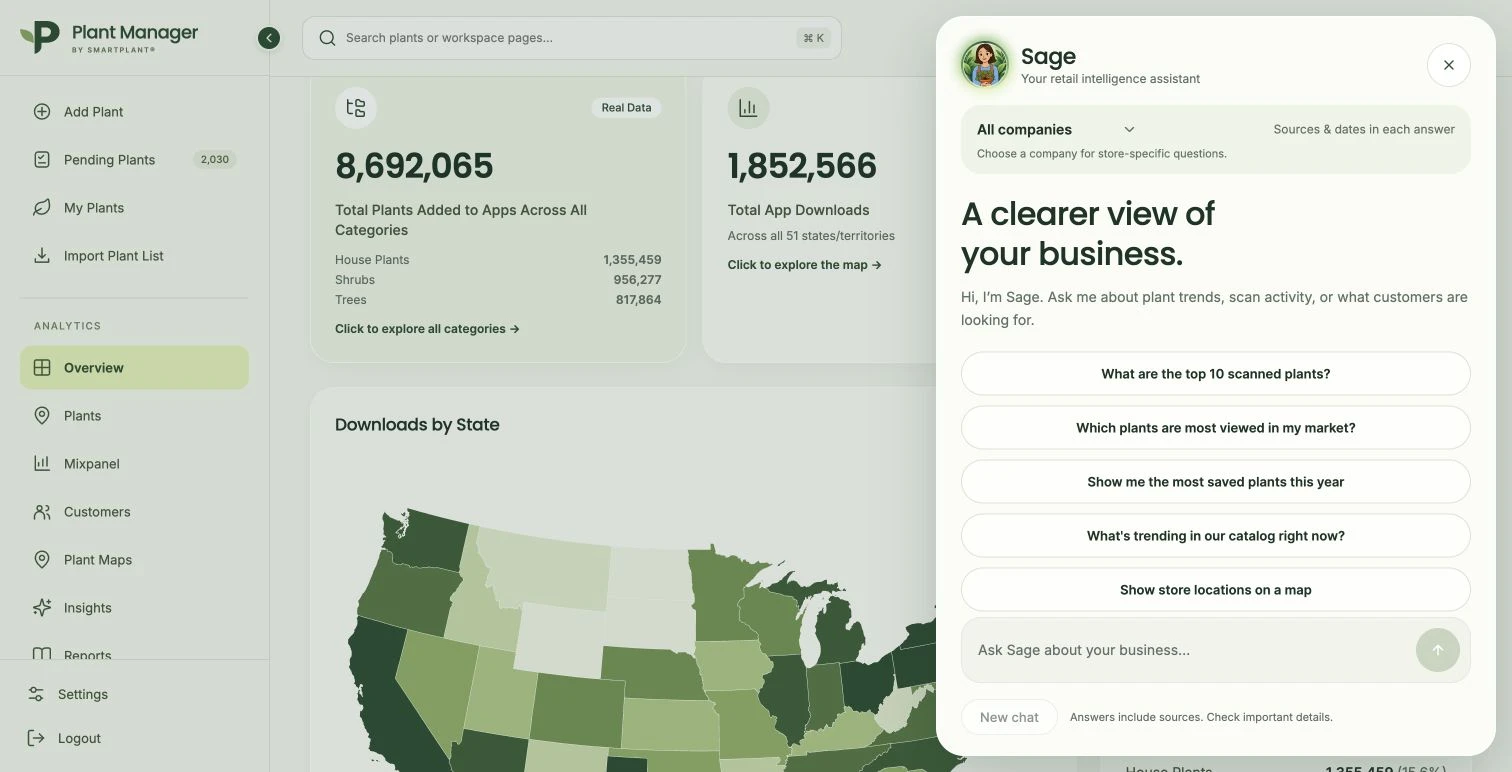
A conversation grounded in context
Company selection, suggested questions and source-and-date guidance give the conversation a clear frame. This capture shows the assistant’s entry state, before a question is sent.
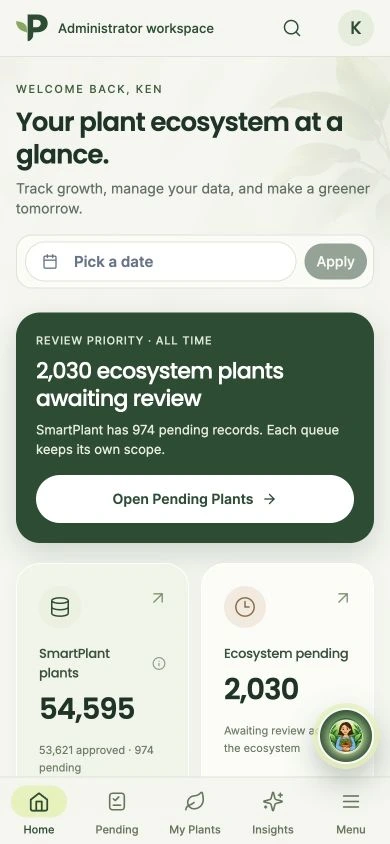
The workspace goes with you
Plant Manager adapts to a phone and can be added to its home screen as an installable web app. The mobile experience keeps the same catalog and operational context within reach.
The App Chefs
Studio · Brand & Web · Design System